eBay inventory management
eBay sold it. Which tub is it in?
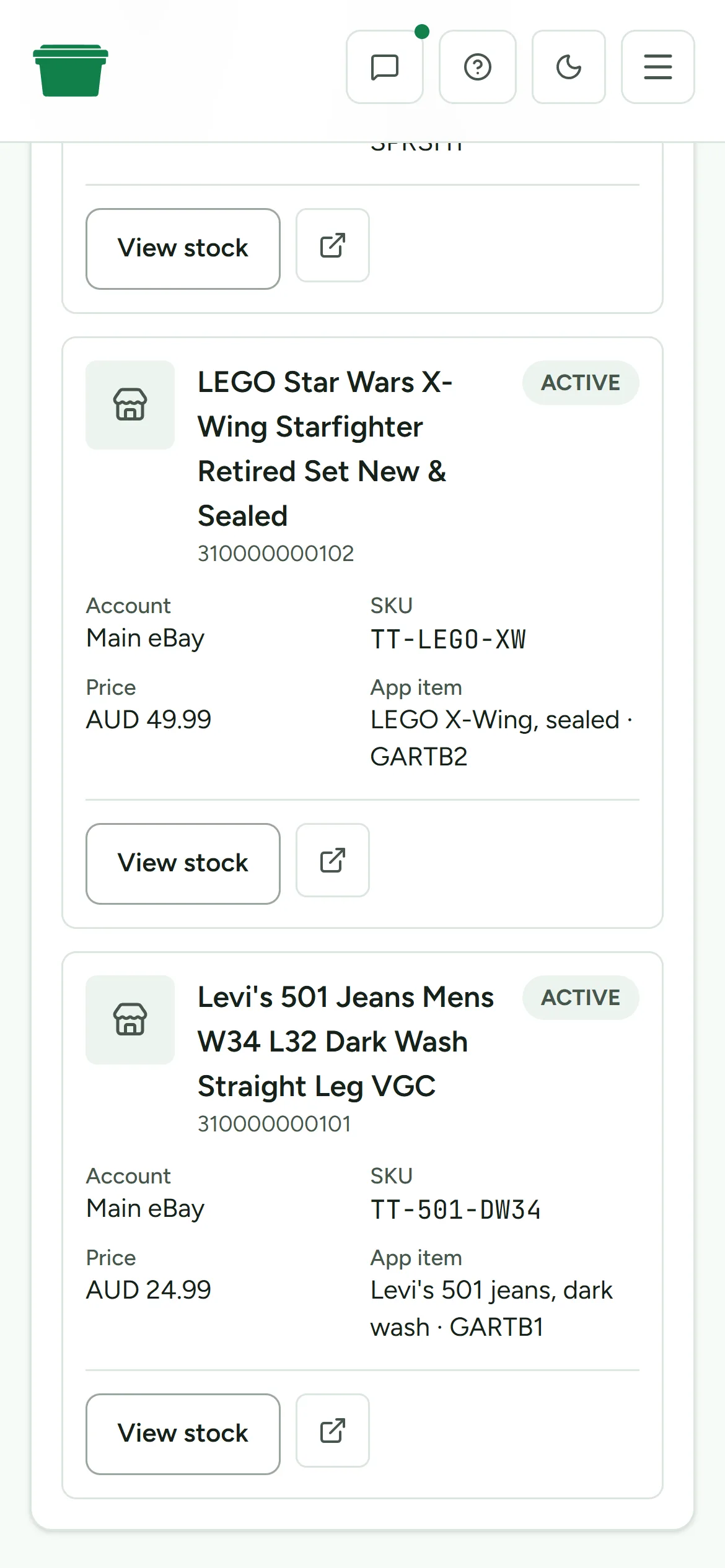
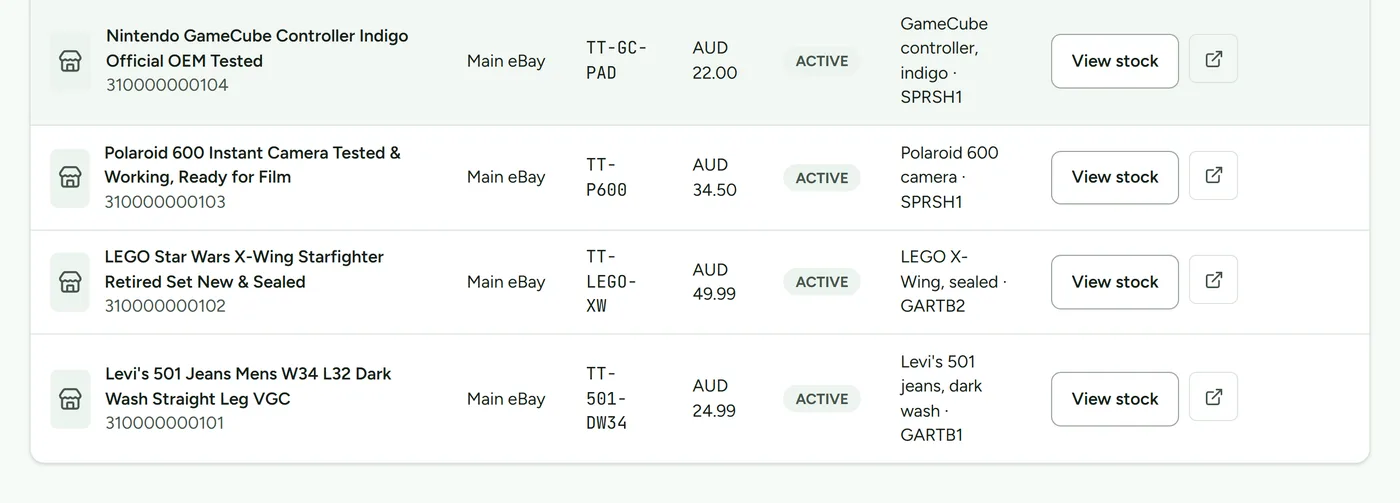
eBay records the listing and the order. Deathpile connects that listing to the item on your shelf, the tub it lives in and the pick you still have to make.
The practical gap
The listing can be right while the location is wrong.
A title, price and quantity can all look fine in Seller Hub while the actual item is unlabelled, sitting in intake or two tubs away from the location in your spreadsheet.
The problem shows itself after the sale, when a simple order turns into a search. Deathpile keeps the marketplace record tied to the physical one, so the location is part of the job rather than a note you meant to update later.
From listing to pick
Keep the checks where you can see them.
- 01Connect eBay with read access.Active listings come into a reviewable intake queue.
- 02Match the listing to physical stock.Link it to an existing item or create the item you still need to place.
- 03Give the item a real home.Record the room, container type and numbered tub rather than relying on a free-text reminder.
- 04Review detected sales.When sale watching is enabled, paid unfulfilled orders wait for you to confirm the physical stock change.
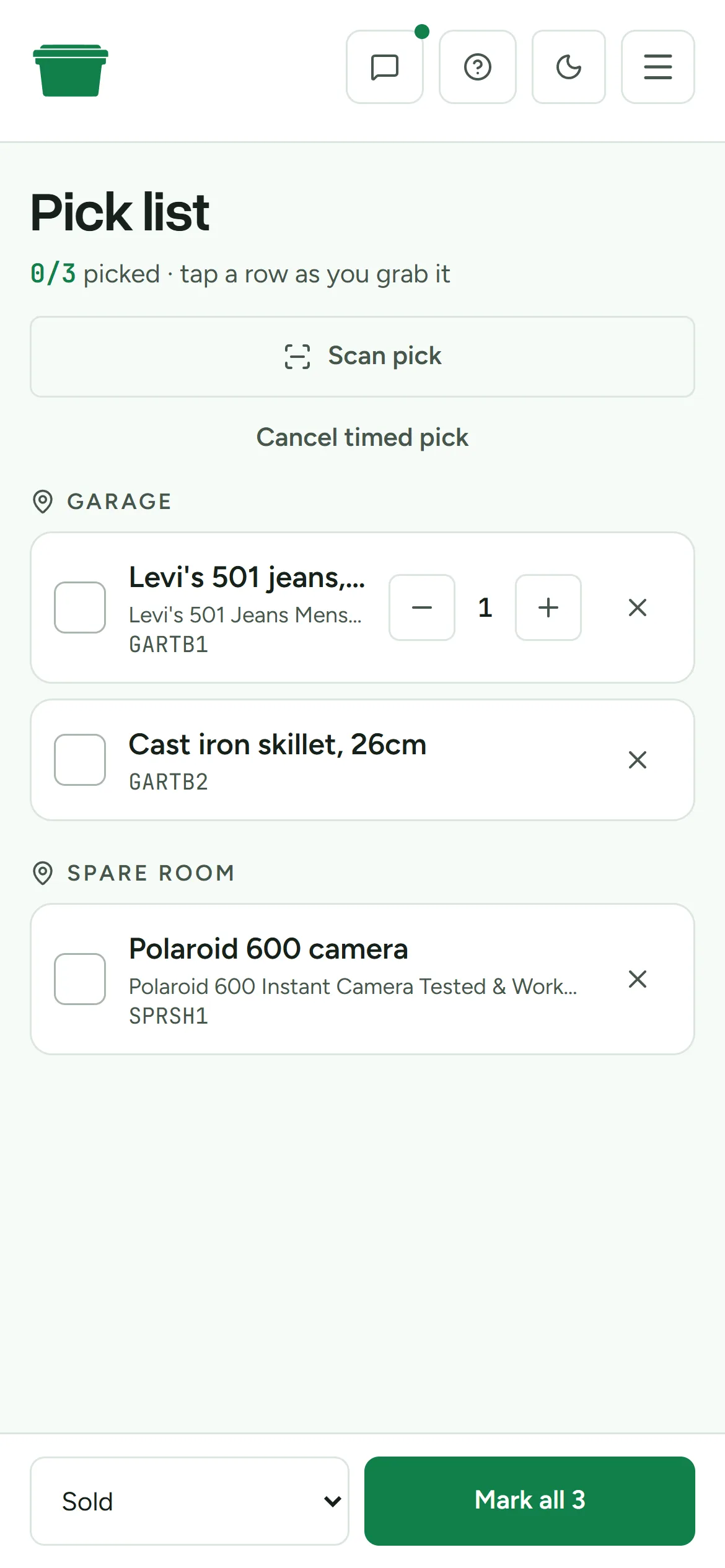
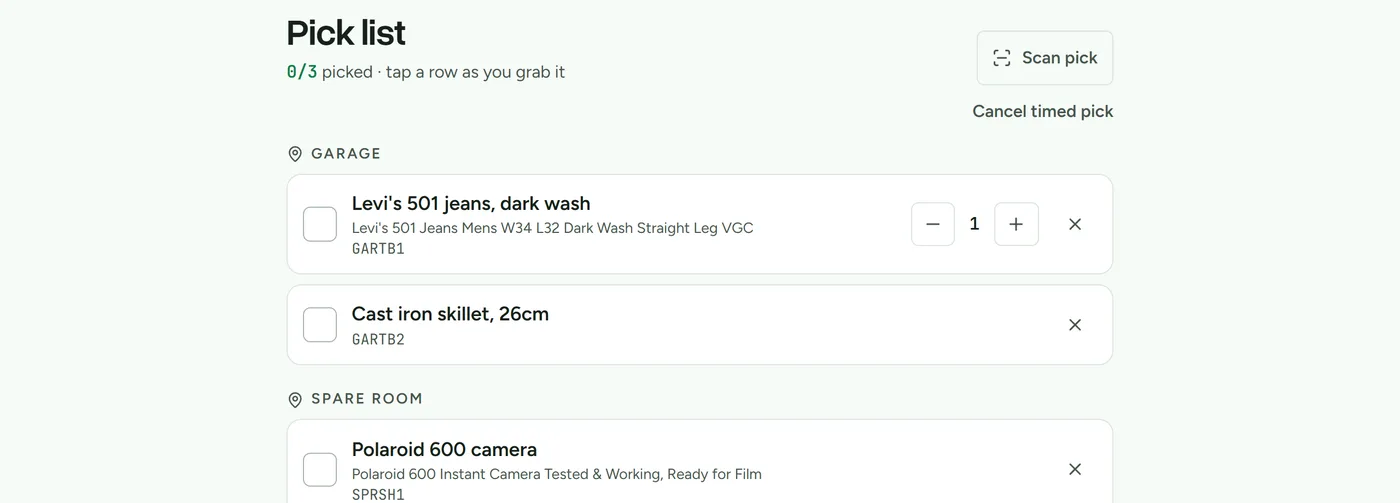
- 05Find and pick it.The pick list starts with the recorded location, and labels can check the item and tub before dispatch.
Use tubs and location tracking when you put stock away, then search for the sold item and follow the mobile pick list. Each applied sale is recorded in stock history. Compare the inventory plans when you’re ready.
Use each tool for its job
This is physical stock software, not another way to list.
| Tool | Its useful job | Physical location | Creates listings |
|---|---|---|---|
| Seller Hub | Listings, orders and eBay account work | Not its job | Yes |
| Cross-lister | Publish and manage listings across marketplaces | Varies | Yes |
| Spreadsheet | A flexible record for a small, stable catalogue | Manual | No |
| Deathpile | Locations, tubs, labels, sale review and picking | Core job | No |
These tools can sit beside each other. Keep the cross-lister that already saves you time. Deathpile starts where the listing work stops.
What it does
- Reads active eBay listings, including listings made through Seller Hub.
- Matches listings to items, locations and numbered tubs.
- Keeps paid, unfulfilled sales available for review and records applied stock changes in inventory history.
- Supports labels, location-grouped picking and deliberate assisted listing removal.
What it leaves alone
- It doesn’t create or cross-post listings.
- Fulfilled orders can update stock automatically when safely matched; unresolved matches still need review.
- Marketplace quantity isn’t written automatically.
- Keep Seller Hub, your cross-lister and your accounting system.
A sensible fit
Use it when finding stock has become part of the sale.
If your stock is spread across rooms, shelves, tubs or a storage unit, the physical location needs a system of its own. If you have a small catalogue in one tidy room and the sheet stays accurate, keep the sheet.
You can test the structure first with the free reseller inventory spreadsheet generator, or read how to organise eBay stock one location at a time.
Questions sellers ask
- Does it work with listings created in Seller Hub?
- Yes. Deathpile can read active eBay listings made through eBay's site and Seller Hub, not only listings created through an API.
- Does Deathpile write quantity changes back to eBay?
- No. Applying a sale changes the stock record in Deathpile. It doesn't automatically change eBay quantity. Assisted listing removal is a separate permission and a separate owner action.
- Are stock changes automatic?
- Paid, unfulfilled sales wait for your confirmation. If eBay later reports a safely matched order as fulfilled, Deathpile can apply the stock change automatically. Physical collection remains a separate step.
- Can it work alongside a cross-lister?
- Yes. Keep the cross-lister for publishing and ending listings. Deathpile handles the physical item, its storage location and the pick after a sale.
- Can I import existing inventory from CSV?
- Yes. Import item names, quantities, locations, container types, tub numbers and notes from CSV, then review the preview before confirming the import.
When it sells, the location should already be decided.
Fourteen days free. No card, and the clock only starts when you do.